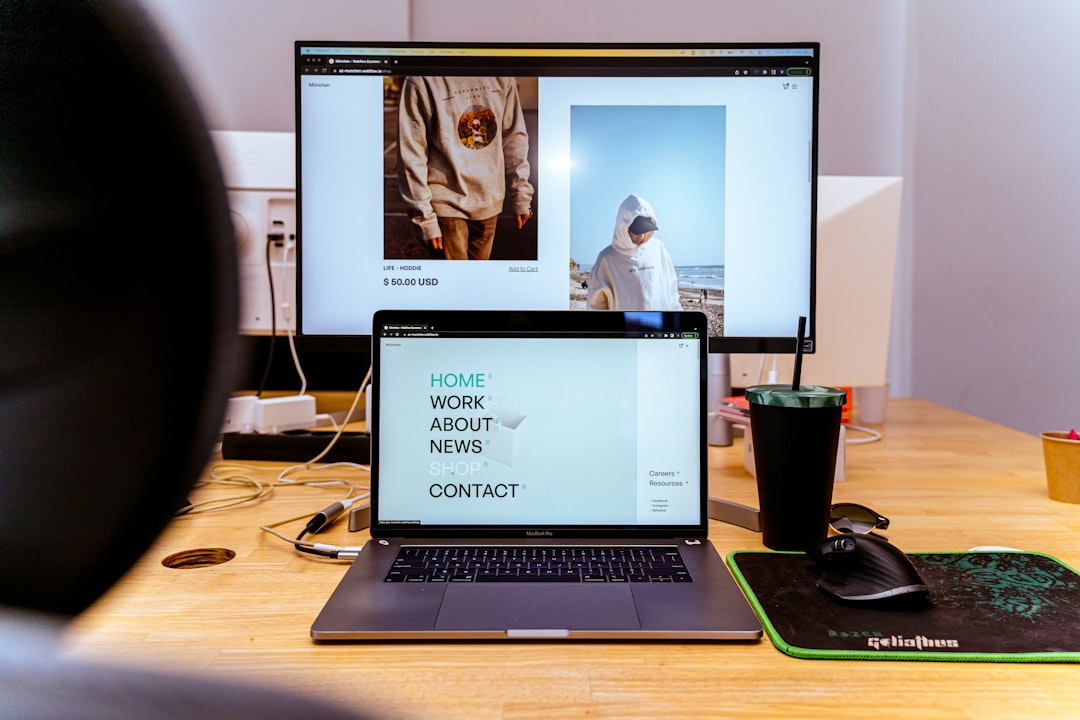
You've probably seen the word "headless" thrown around in e-commerce circles and assumed it was for brands with a six-figure dev budget and a team of engineers on retainer. That was a fair assumption two years ago. It's not really true anymore.
I ran my first store on a hosted platform that charged me $79/month and still throttled my checkout customization. When I finally split the front end from the back end — what people mean when they say "headless commerce" — my page load time dropped from 4.1 seconds to 1.3 seconds, and my conversion rate climbed about 18% over the next 90 days. The stack I used cost me $43/month all in.
This tutorial walks you through exactly how to do that, without needing a computer science degree or a venture-backed runway.
What "Headless" Actually Means (Plain English Version)
A traditional storefront bundles everything together: the product catalog, the checkout logic, and the pages your customers see. Change one thing and you risk breaking another.
Headless commerce separates the "head" — the front-end website your shoppers interact with — from the "body" — the back-end that handles products, inventory, and orders. They talk to each other through an API (think of it as a polite messenger that carries data back and forth).
Why does that matter to you? Because you can build the fastest, most custom front end you want, while keeping a reliable back end doing the boring-but-critical stuff like processing payments and tracking stock. You're not locked into one vendor's template engine, and you're not paying for features you don't use.
The $50/Month Stack That Actually Works
Here's the combination I'd recommend for a small store doing up to roughly $30k/month in revenue. These are real prices as of mid-2025.
Back end (commerce API): Medusa.js self-hosted on Railway — ~$5–10/month depending on usage. Medusa is open-source, handles products, orders, carts, and customers out of the box, and has a growing plugin ecosystem. Railway makes hosting it almost as easy as clicking a deploy button.
Front end (storefront): Next.js deployed on Vercel — free on the Hobby plan for low-traffic stores, $20/month on Pro if you're getting real volume. Next.js gives you server-side rendering, which means Google can actually read your pages (a common headless pitfall if you go fully client-side).
Search: Meilisearch hosted on their cloud — free up to 100k documents, then $30/month. For most small catalogs under 5,000 SKUs, you'll stay free for a long time.
Media/CDN: Cloudinary free tier handles image optimization and delivery. You'd need to pay only if you're storing thousands of high-res images.
Total honest estimate: $25–50/month depending on traffic, with room to scale each piece independently.
Compare that to a mid-tier hosted platform where you're paying $79–299/month and still can't touch the checkout HTML.
Step 1: Spin Up Your Medusa Back End
First, make sure you have Node.js installed (version 18 or higher). Open your terminal and run:
npx create-medusa-app@latest my-store
The CLI walks you through the setup. Choose PostgreSQL as your database (Railway provisions one for you automatically when you deploy).
Once it's running locally, you'll get an admin dashboard at localhost:7001. Spend 20 minutes here adding a few test products, setting up a shipping option, and connecting a payment provider. Medusa supports Stripe out of the box — just paste in your Stripe secret key and you're live for payments.
To deploy to Railway: create a free Railway account, click "New Project," choose "Deploy from GitHub repo," and point it at your Medusa repo. Railway auto-detects the Node environment. Add your environment variables (database URL, Stripe keys, JWT secret) in the Railway dashboard. First deploy takes about 4 minutes.
You now have a live commerce API with a URL like https://my-store-production.up.railway.app. That's your back end done.
Step 2: Build Your Next.js Storefront
Medusa publishes an official Next.js starter called medusa-next-js-starter. Clone it:
git clone https://github.com/medusajs/nextjs-starter-medusa my-storefront
cd my-storefront
npm install
Open the .env.local file and point NEXT_PUBLIC_MEDUSA_BACKEND_URL at your Railway URL from Step 1. Run npm run dev and you'll see a working storefront at localhost:8000 — product listing, product detail pages, cart, and checkout, all pre-wired.
This is where the fun starts. Because it's just a Next.js app, you can edit the components exactly like any React project. Want to change the product card layout? Open src/modules/products/components/product-card/index.tsx and go for it. No theme marketplace, no proprietary liquid syntax — just components you own.
A quick win: swap the default font and primary color in tailwind.config.js. Takes five minutes and immediately makes the store feel like yours.
Deploy to Vercel by connecting your GitHub repo. Vercel detects Next.js automatically, sets the build command, and gives you a live URL in under three minutes. Add your environment variables in the Vercel dashboard and you're done.
Step 3: Nail the Two Things That Trip People Up
Headless setups have two common failure points. Here's how to avoid both.
SEO and crawlability. Fully client-side rendered stores (built with plain React without server rendering) are invisible to search engines until Google's crawler runs JavaScript — which can take days or weeks. Next.js with server-side rendering (SSR) or static generation (SSG) solves this. The Medusa starter uses SSG for product pages by default, so your pages are pre-built HTML that Google can read instantly. Don't disable this trying to be clever — it's one of the biggest advantages of this stack.
Cart persistence and sessions. Medusa uses cart tokens stored in a cookie to persist the cart across page loads. The starter handles this, but if you customize heavily and accidentally clear local state on navigation, customers will lose their carts. Test the full add-to-cart → checkout flow on an incognito window before going live. Sounds obvious, but I've skipped this step and paid for it with a 0% conversion day.
Have you ever bought something online and had your cart mysteriously empty at checkout? That's almost always a session management bug. Don't be that store.
A Real Example: A Candle Shop Going Headless
A friend of mine runs a small candle brand — about 40 SKUs, mostly direct-to-consumer. She was on a hosted platform paying $105/month (including a third-party review app and a upsell plugin), with a Lighthouse performance score hovering around 52.
We migrated her to the Medusa + Next.js stack over a weekend. Her new monthly cost: $38 (Railway Pro for the back end, Vercel Hobby for the front end, plus her domain). Her Lighthouse score went to 91. In the first 30 days after migration, her organic sessions were up 23% — partly from faster load times, partly because she finally had clean semantic HTML that search engines could parse properly.
She did have to give up her drag-and-drop page builder. That was a real trade-off. If you're not comfortable editing JSX or working with a developer who is, this stack has a steeper learning curve than a hosted platform. Be honest with yourself about that before you start.
Do-It-Today Actions
You don't have to build the whole thing this weekend. Here are three moves you can make right now:
-
Audit your current monthly spend. Add up your platform fee, every app or plugin, and your CDN or hosting costs. Write that number down. That's your baseline to beat.
-
Run your current store through PageSpeed Insights. Note your mobile performance score. If it's below 70, slow load times are likely costing you conversions — Google's own data suggests a 1-second delay in mobile load time can reduce conversions by up to 20%.
-
Clone the Medusa Next.js starter locally today. You don't have to deploy anything. Just get it running on your machine and click around. Seeing a working headless storefront on your laptop in under 30 minutes makes the whole concept feel a lot less abstract.
You're More Ready Than You Think
Headless commerce used to require a dedicated engineering team and a budget that most small stores couldn't justify. The tooling has caught up. Open-source back ends, one-click deployment platforms, and pre-built starters mean you can have a production-ready headless storefront running for less than your Netflix subscription costs.
The biggest thing holding most small store owners back isn't skill — it's the assumption that this stuff is for someone else. It's not. If you can follow a tutorial, edit a config file, and push to GitHub, you have everything you need to get started.
Your next step: set a two-hour block this week, clone that starter, and see how far you get. You might surprise yourself.